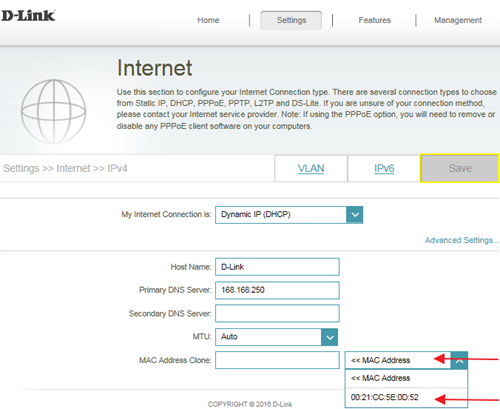
Few cable internet providers requires you to clone PC Mac address in order to go online through the router.
Note: It is recommended to clone MAC address from last computer which was able to go online when connected to modem.
Please launch your browser and enter
http://dlinkrouter.local or
http://192.168.0.1 into the address bar. Then login and follow the steps below:
Step 1:
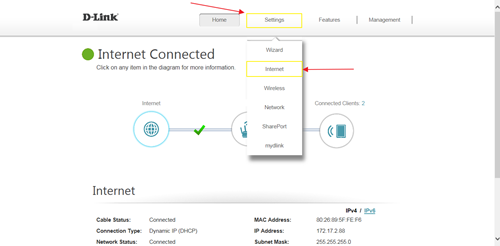
Click Setting ->
Internet
 Step 2
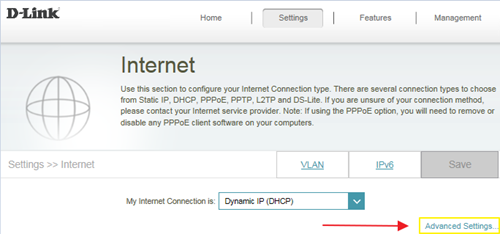
: Click
Advanced Setting
 Step 3
: Find Mac address clone field, then select one Mac address from the drop-down menu and click
Save