Please launch your browser and enter
http://dlinkrouter.local or
http://192.168.0.1 into the address bar. Then login and follow the steps below:
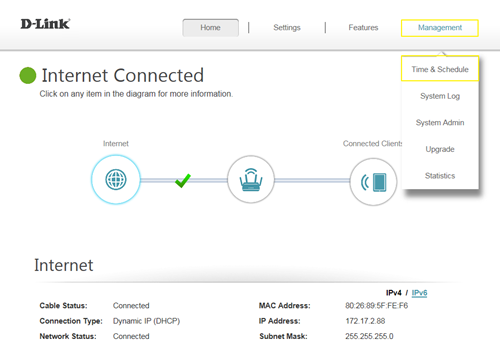
Step 1: Click on the
Maintenance ->
Time & Schedule
 Step 2:
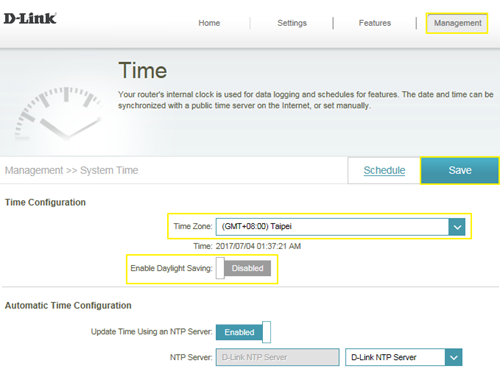
 By default, the D-Link NTP server is enabled. Specify the Time Zone if you need to synchronize the time with the specific region, and enable daylight saving if required, and click
Save.
 Note:
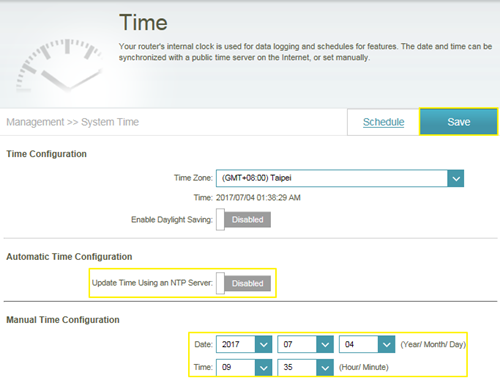
Note: To manually specify the time, change the automatic time configuration to Disabled, then adjust time as needed and click
Save.