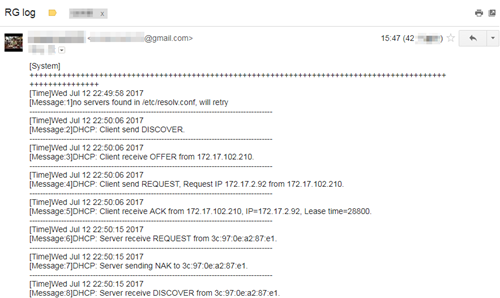
There are 3 methods to check system log of router.
Select Management ->
System Log, and follow the methods as below:
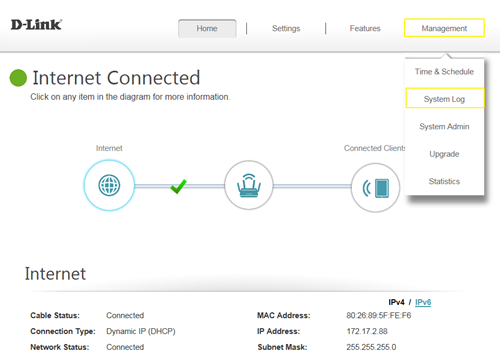 Method 1:
 Log Settings
Step 1: Click
Check System Log button, and download the file “messages” to your folder.
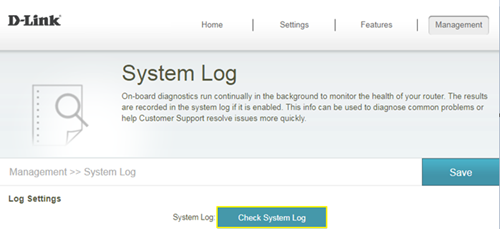 Step 2:
 Open the messages via WordPad/NotePad, then you can check system log.
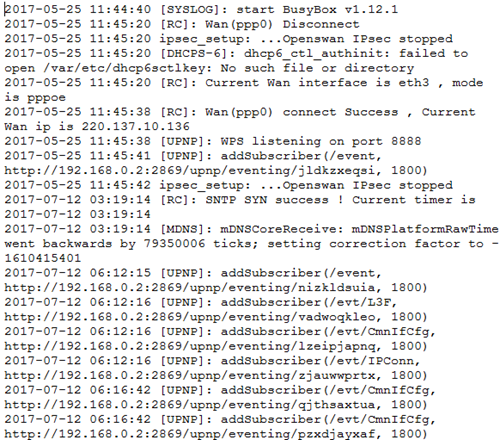 Method 2:
 Syslog Settings
Step 1: Download system log server application, ex: Kiwi Syslog Server:
http://www.kiwisyslog.com/free-tools/kiwi-free-syslog-server
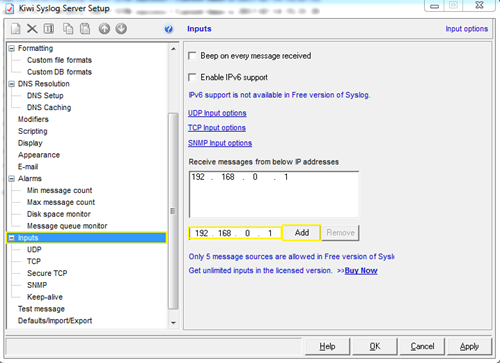
Step 2: Click
File ->
Setup, and fill in the IP address of your network device, then click
Add:
 Step 3:
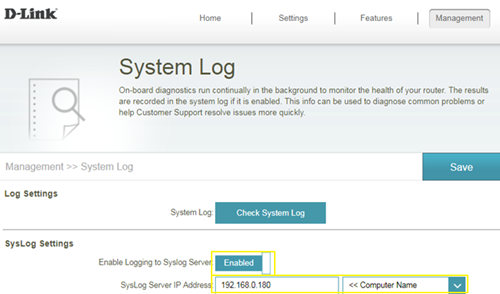
 Enable “
Enable Logging to Syslog Server”, and fill in the IP address of the PC installing
Kiwi Syslog Server:
 Step 4:
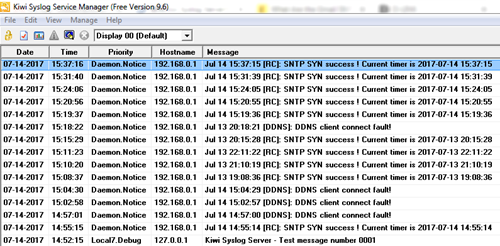
 You’ll be able to check the log in Kiwi Syslog Service Manager as below:
 Method 3:
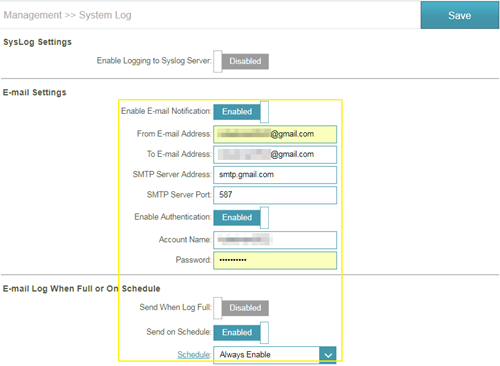
 E-mail Settings
Step 1: Setup the e-mail information as below:
 Step 2:
 You will receive the log email: