Please launch your browser and enter http://dlinkrouter.local or http://192.168.0.1 into the address bar. Then login and follow the steps below:
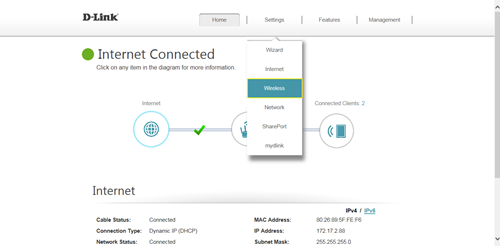
Step 1: Click Settings -> Wireless
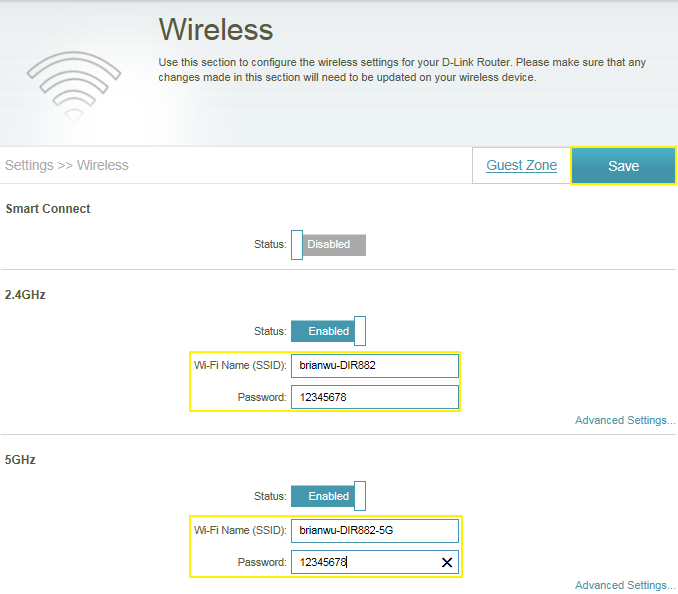
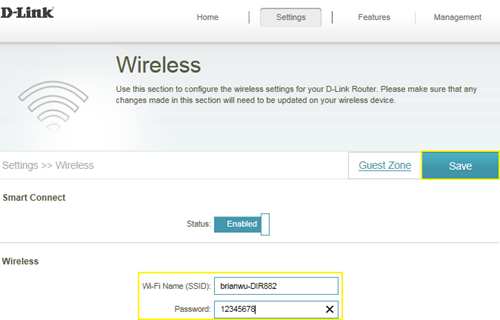
Step 2: In the wireless Wi-Fi name (SSID) field (for both the 2.4 and 5GHz sections), erase the default name (dlink-xxxxx) and enter a unique wireless network name (This is the name you will see when scanning for wireless networks on your computer/wireless device).
In the password field, remove the default password and enter a new one of your choice. (Must be a minimum of 8 characters), then click Save.
(1) Smart Connect enabled:
(2) Smart Connect disabled: