Please launch your browser and enter
http://dlinkrouter.local or
http://192.168.0.1 into the address bar. Then login and follow the steps below:
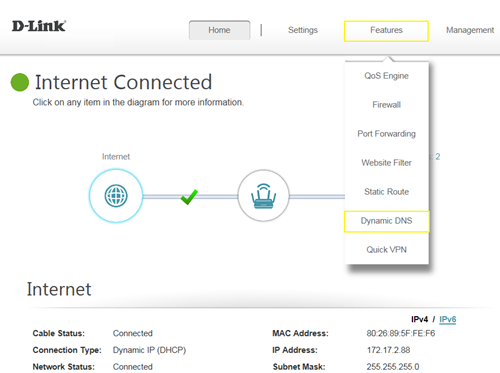
Step 1: Click
Features ->
Dynamic DNS
 Step 2:
 Enable
Dynamic DNS, and enter your Dynamic DNS account information, then
Save:
 Note:
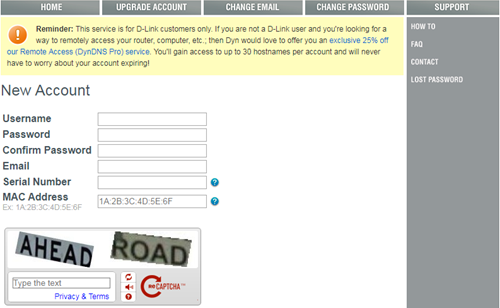
Note: To register to get the dlinkddns service, Please enter the website:
https://www.dlinkddns.com/signin/, then fill in the required information.