Please launch your browser and enter
http://dlinkrouter.local or
http://192.168.0.1 into the address bar. Then login and follow the steps below:
Step 1: Click
Management ->
System Admin
/FAQs/UK/DIR/DIR878/DIR_878_FAQ_Image020
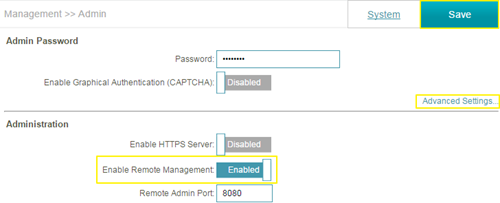
Step 2: Click
Advanced Settings, and
enable Remote Management, then click
Save. The default remote management port: 8080.
Note: To access your router remotely, from a web browser enter: http://<your WAN IP>:8080.
e.g. http://172.17.2.74:8080
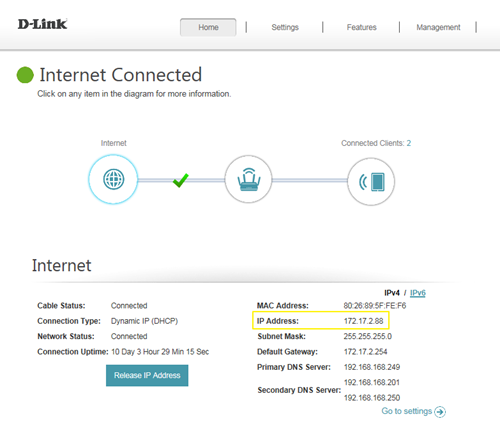
You can find your WAN IP by clicking on the Home tab. It will be displayed under the Internet Section