產品
產品方案應用
產品方案應用
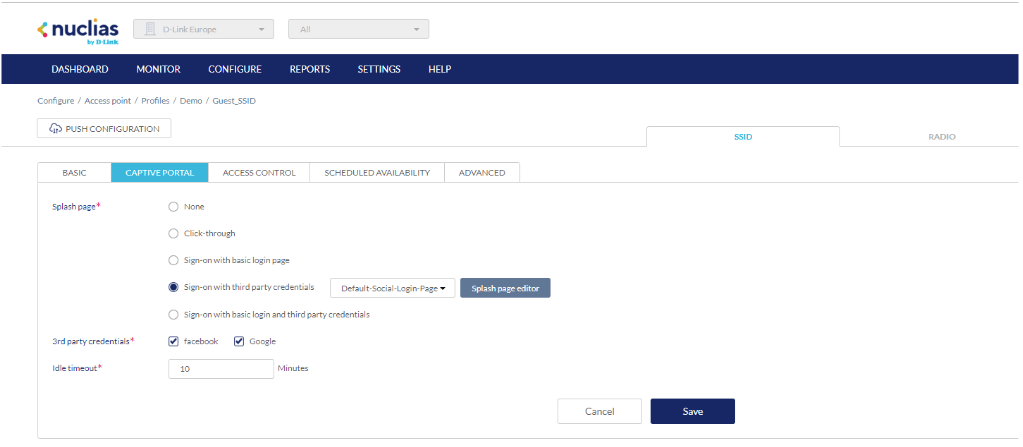
Go to Configure → Access Point → Profiles, select the SSID that will contain the captive portal and select the captive portal tab. From the list select Sign-on with third party credentials with Default-Social-Login-Page. Ensure you select the social logins you Then, click on Google and Facebook under 3rd Party Credentials, click save. It is important that you use the new configuration to the access points to ensure the changes are implemented.
點擊前往並登入會員後,至下方「訂閱電子報」欄位勾選/移除電子報類型即可。