Step 1: Open a web browser and enter http://dlinkap.local in the address bar.

Step 2: Enter your Admin Password in the field provided. If you have not changed the password from the default setting, the password field is to be left blank. Click Log In.

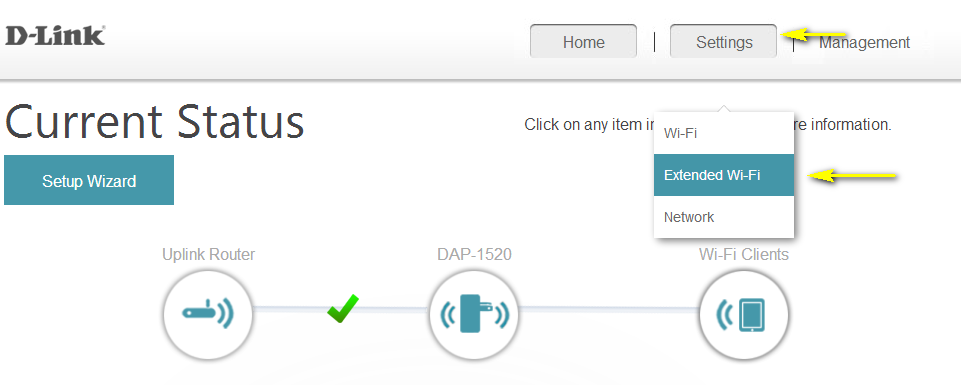
Step 3: Move the cursor to Settings in the top right-hand corner of the page, then click Extended Wi-Fi from the drop-down menu.
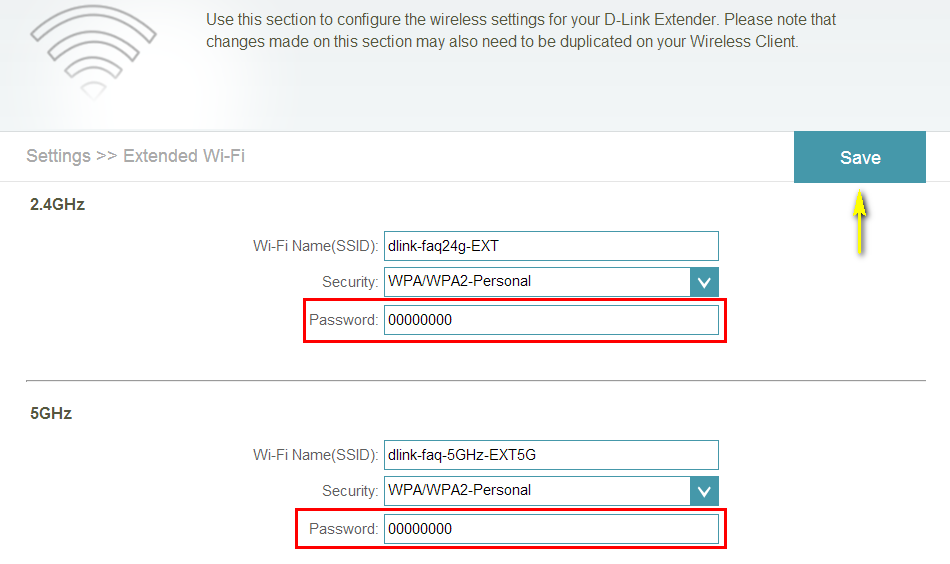
Step 4: You can specify a new password each wireless band in the Password field. Click Save once complete to save the current configuration.